
Frequently asked question
How do I enable Dolby Vision on Apple TV for IPTV?
Enabling Dolby Vision for IPTV on Apple TV 4K:Go to Settings → Video and Audio.Set Format to 4K Dolby Vision (requires DV-capable TV).Enable Match Content Frame Rate — auto-switches between 24Hz, 30Hz, 60Hz.Enable Match Content Dynamic...
Reponse detaillee
Enabling Dolby Vision for IPTV on Apple TV 4K:
- Go to Settings → Video and Audio.
- Set Format to 4K Dolby Vision (requires DV-capable TV).
- Enable Match Content Frame Rate — auto-switches between 24Hz, 30Hz, 60Hz.
- Enable Match Content Dynamic Range — auto-switches between SDR, HDR10, and Dolby Vision per stream.
Your TV must have Dolby Vision certification and an HDMI 2.0+ port set to Enhanced Format. Not all IPTV channels broadcast in Dolby Vision; most 4K live channels use HDR10 or HLG.
Need quick help?
Our team can guide you toward the best offer based on your use and devices.
Useful guides to read next
April 9, 2026
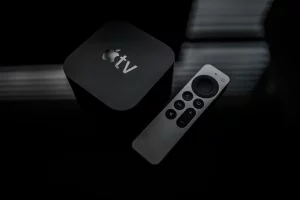
Install IPTV on Apple TV: Complete Guide 2026
Comment installer et configurer un abonnement IPTV sur Apple TV 4K via GSE Smart IPTV. Paramètres Dolby Vision,...
Read the article ->
March 28, 2026
Best Adult IPTV Box in 2026: Top 5 Devices Compared
Comparatif des 5 meilleurs boîtiers pour regarder l'IPTV adulte en 2026 : Nvidia Shield, Apple TV 4K, Formuler...
Read the article ->
March 22, 2026
4K HDR IPTV: TV and Player Settings for Optimal Picture Quality
Réglages TV (Samsung, LG, Sony) et application IPTV pour regarder en 4K HDR sans image sombre ni buffering....
Read the article ->