Official site
Official site
Start here — the download page links every build.
Open the linkOne login, every screen in the house — the player we hand new IPTV X Hub members on day one.
Available on Android · iOS · Ordinateur · Smart TV
Choose your device, open the right link, then come back here to follow the install guide and activate your premium access.
Official site
Start here — the download page links every build.
Open the linkAndroid
Sideload on Firestick and Android TV boxes.
Open the linkChoose your platform, follow the steps, then copy the required information without risk of error.
Search IPTV Smarters Pro on the Play Store, or sideload the APK from the official download page if your box has no store. On a Firestick, use Downloader and allow installs from unknown sources first.
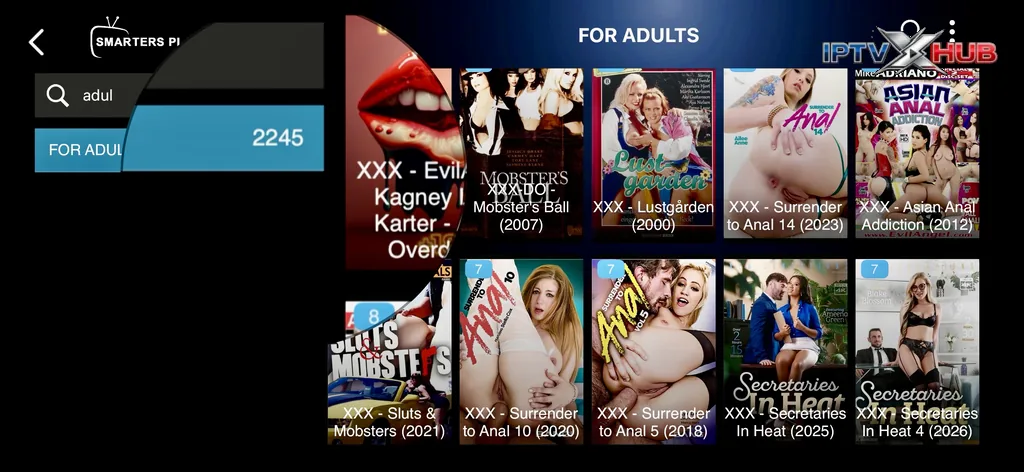
On the welcome screen tap Login with Xtream Codes API. The other button imports a flat playlist with no guide and no adult category.
Any name you like, then the username, password and server URL exactly as sent. The server field takes the full address including http:// and the port.
http://your-server-url:port
Settings → Parental Control. Change the default before anyone else picks up the remote, then decide which profiles get the code.
Install IPTV Smarters Pro from the App Store on your iPhone, iPad or Apple TV. The iOS build is a one-off paid download on some regions — that is Apple's charge, not ours.
Log in with the same Xtream Codes values. iOS keeps the account in the keychain, so an iPad and an iPhone on one Apple ID both pick it up. If you plan to mirror to a TV, turn AirPlay on before you start a stream rather than during one.
Android TV and Google TV sets install Smarters from the Play Store directly. Samsung Tizen and LG webOS sets generally cannot — use SmartOne IPTV instead and activate by MAC address.
Grab the Windows or macOS installer from the official site. On macOS you will need to allow the app once under System Settings → Privacy & Security.
Desktop is where members watch 4K the most, and it is where Wi-Fi congestion shows up first. If the machine is near the router, an ethernet cable removes an entire class of buffering complaints.
Three fields, taken straight from your activation email.
Open the app and choose Login with Xtream Codes API rather than the playlist option. Enter any display name, then the username, password and server URL from your IPTV X Hub activation email. The server URL must include the protocol and the port — http://host:port — and it must not have a trailing slash. If the app rejects it, the usual culprit is a space copied in from the email client.
Almost always an M3U login instead of an Xtream Codes one.
An empty guide nearly always means the account was added as a plain M3U playlist, which carries no EPG data. Delete the profile and add it again through Xtream Codes API. If the guide is still blank after that, force a refresh under Settings → EPG and give it a couple of minutes — the first download of a full multi-day guide is large. A guide that loads but sits an hour or two out of step is a timezone problem, not a missing-data problem: set the EPG offset to match your province.
Only up to the number of screens your plan includes.
You can install Smarters on as many devices as you own — the limit is on simultaneous streams, not installs. A single-screen plan will drop the first device when a second one starts playing. If your household regularly watches two things at once, the 2, 3, 4 and 5 screen plans exist for exactly that. Note that a stream left paused in the background still counts as an active connection on some devices, which is a common cause of surprise disconnections.
The developer's own download page, nowhere else.
Use the download page on the official <a href="https://www.iptvxhub.com/tag/iptv-smarters/" class="mca-autolink" data-mca="1">IPTV Smarters site, or the Play Store where your device has it. APK mirror sites repackage the app, and repackaged builds have shipped credential-harvesting code more than once. IPTV X Hub never distributes a modified player and never asks you to install a “special” build to use your subscription — if a page tells you otherwise, it is not us.
Change the decoder first, then look at the network.
Work through it in this order. First switch the stream format from the built-in player to VLC or MX Player — on older Android hardware this alone resolves most stutter. Second, clear the app cache. Third, test the same channel on a phone over mobile data: if it plays cleanly there, the problem is your home network rather than the stream. Congested 2.4 GHz Wi-Fi is the single most common cause we see, and moving the device to 5 GHz or ethernet usually settles it.
Roughly 10 Mbps for HD and 25 Mbps for 4K, per stream.
Plan on about 10 Mbps of steady throughput per HD stream and 25 Mbps per 4K stream. Steady is the operative word — a connection that benchmarks at 200 Mbps but dips hard every few minutes will stutter where a consistent 30 Mbps line never does. Multiply by the number of screens you actually run at once, and remember that everything else in the house shares the same pipe.
Through Android settings, not from inside the app.
On Android and Firestick, go to the system Settings → Apps → <a href="https://www.iptvxhub.com/tag/iptv-smarters-pro/" class="mca-autolink" data-mca="1">IPTV Smarters Pro → Storage → Clear cache. Choose Clear cache, not Clear data — the second one wipes your login as well. On iOS there is no cache control, so delete and reinstall the app. Do this whenever the channel list looks stale after we have added or renamed categories.
The player is legitimate software; what you feed it is your responsibility.
<a href="https://www.iptvxhub.com/tag/iptv-smarters-pro/" class="mca-autolink" data-mca="1">IPTV Smarters Pro is an ordinary media player, distributed on the Play Store and the App Store, and installing it is entirely lawful. A player is neutral — it plays whatever stream you point it at. Responsibility for the legality of a given stream sits with whoever supplies it and whoever watches it, under the rules of the country you are in. Adult content on IPTV X Hub is restricted to adults and stays behind a PIN for that reason.
Editorial
Read the latest IPTV guides, setup advice, compatibility notes, and service updates before choosing your plan.
August 9, 2026
Choosing the best IPTV in 2026 has become more complex than it may seem. With differences...
Read more ->July 19, 2026
How to install and configure IPTV Smarters Pro on LG webOS Smart TVs: app store steps,...
Read more ->April 9, 2026
How to install and configure an IPTV subscription on Apple TV 4K with GSE Smart IPTV...
Read more ->March 28, 2026
The five best set-top boxes for adult IPTV in 2026 compared: Nvidia Shield, Formuler Z12, Fire...
Read more ->Every pack activates the same stable service. The duration changes, the peace of mind grows.
1 month
12 months
12 months
Smarters is not the prettiest player on this site — TiviMate wins that contest on Android TV. It is here because it runs almost everywhere. When a member writes in saying “nothing works”, the fastest diagnosis is to install Smarters on a phone: if the channel list loads there, the account is healthy and the problem lives in the living-room device instead.
Your activation email carries three values: a server URL, a username and a password. Those are Xtream Codes credentials. Do not paste them into the “Load Your Playlist or File/URL” box — that field expects a single M3U link and will import your channels without an EPG, without VOD and without the adult category. Use Login with Xtream Codes API every time.
Adult categories ship hidden behind a PIN on every IPTV X Hub plan. Smarters stores that PIN per profile, so a household can keep one profile locked for the kids and one unlocked for the adults on the same subscription. The default is 0000 until you change it under Settings → Parental Control, and we strongly suggest you do change it before the first evening of use.
Two cases. If you watch mostly from an Android TV box or a Firestick and you care about instant channel switching, TiviMate is a genuine upgrade. If your TV is a Samsung or LG that refuses to install Smarters at all, go to SmartOne IPTV or IBO Player, both of which activate by MAC address instead.